![]()
이번에는 이더리움 지갑 생성 및 복구에 필요한 **니모닉(Mnemonic)**을 생성합니다. 니모닉이란 지갑을 복구하기 위한 데이터입니다. 보통 12개의 영어 단어로 구성됩니다. 니모닉 생성 규칙은 BIP-39에 정의되어 있습니다. 니모닉은 아래와 같은 형태입니다.
1
| kidney neglect bomb balcony leaf gun spy narrow total rib soldier depart speak bounce member
|
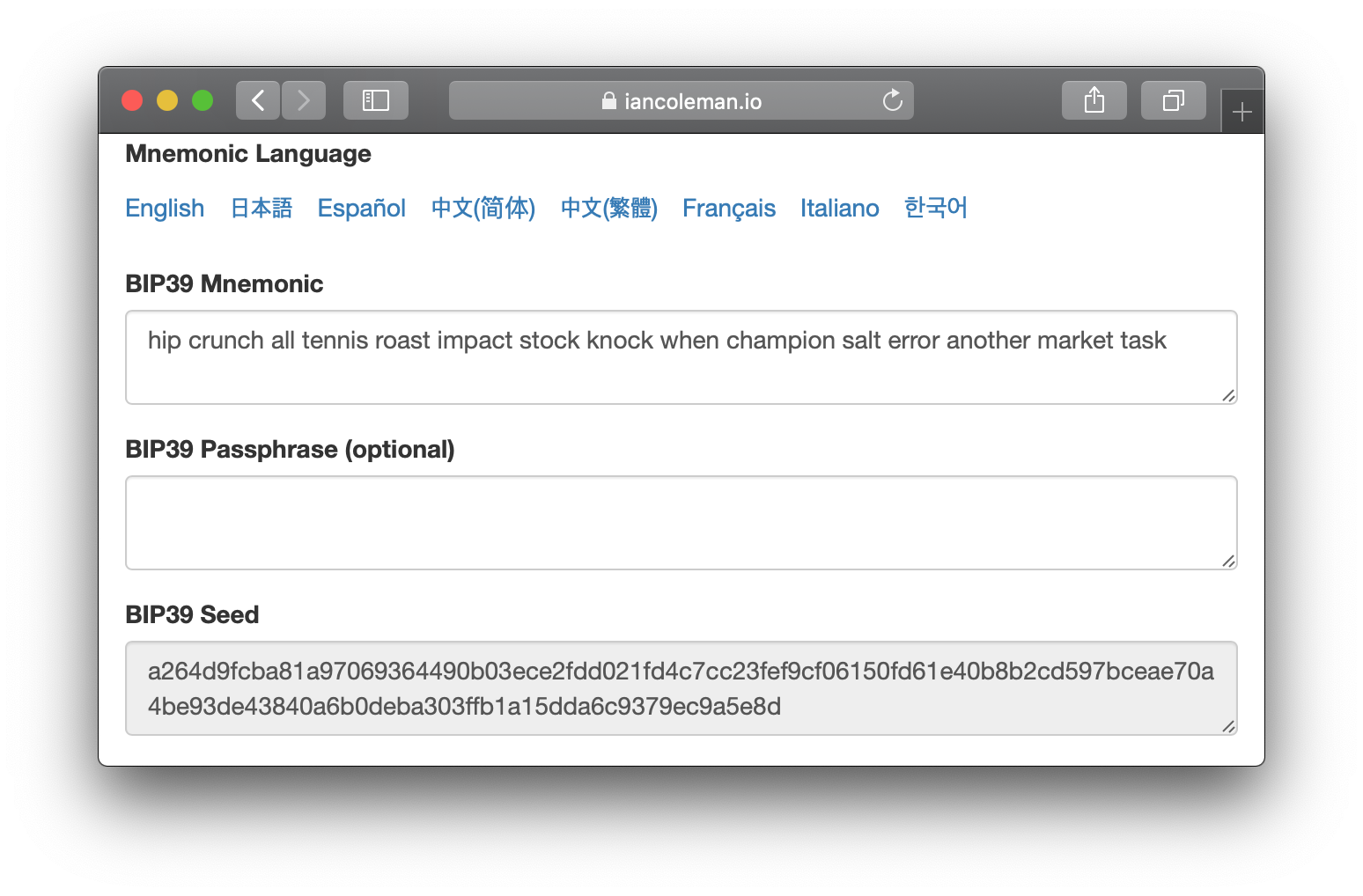
아래 화면처럼 https://iancoleman.io/bip39/ 에 접속하면 니모닉을 생성해 볼 수 있습니다.
![]()
니모닉은 영어, 일본어, 스페인어, 중국어(간체/번체), 프랑스어, 이탈리아어, 한국어를 지원합니다.
이더리움의 이해가 필요한 분은 아랫글을 참고 바랍니다. 이전에 이더리움을 공부하면서 정리한 글입니다.
* * *
러이브러리 설치
아래 라이브러리를 모두 설치합니다.
1
2
3
| $ npm install --save react-native-bip39 bip32 ethers
$ npm install --save-dev tradle/rn-nodeify
$ ./node_modules/.bin/rn-nodeify --hack --install buffer,crypto,events,stream,vm,process
|
라이브러리가 모두 설치된 package.json 파일은 여기에 업로드 되어 있습니다. 참고하세요.
rn-nodeify를 실행하고 나면, 루트에 shim.js 파일이 생성되어 있습니다. 루트에 있는 index.js 파일을 열어 shim.js를 import 합니다.
1
2
3
4
5
6
| import {AppRegistry} from 'react-native';
import App from './App';
import {name as appName} from './app.json';
import './shim.js'
AppRegistry.registerComponent(appName, () => App);
|
만약 라이브러리 설치를 완료하고 나서, 앱 실행 시 아래와 비슷한 오류가 발생한다면 다음 방법을 시도해보세요.
1
2
3
4
5
6
7
8
| Module `stream` does not exist in the Haste module map
This might be related to https://github.com/facebook/react-native/issues/4968
To resolve try the following:
1. Clear watchman watches: `watchman watch-del-all`.
2. Delete the `node_modules` folder: `rm -rf node_modules && npm install`.
3. Reset Metro Bundler cache: `rm -rf /tmp/metro-bundler-cache-*` or `npm start -- --reset-cache`.
4. Remove haste cache: `rm -rf /tmp/haste-map-react-native-packager-*`.
|
CreateWalletScreen 수정하기
CreateWalletScreen.js 파일을 수정합니다. 화면에서 지갑 백업용 니모닉을 보여줄 것입니다.
1
2
3
4
5
6
7
8
9
10
11
12
13
14
15
16
17
18
19
20
21
22
23
24
25
26
27
28
29
30
31
32
33
34
35
36
37
38
39
40
41
42
43
44
| import bip39 from 'react-native-bip39';
export default class CreateWalletScreen extends Component {
// (...)
constructor(props) {
super(props);
this.state = {
mnemonic: null
}
}
componentWillMount = () => {
bip39.generateMnemonic().then(mnemonic => {
this.setState({ mnemonic })
});
}
render() {
return (
<Container style={styles.container}>
<View style={{ flex: 1, padding: 10 }}>
<View style={{ flex: 1 }}>
<Text note>아래 12개 니모닉을 복사하여 백업하세요. 지갑을 복구하는데 매우 중요한 데이터입니다.</Text>
<Form>
<Textarea rowSpan={5} bordered disabled
value={this.state.mnemonic} />
</Form>
</View>
<View style={{ flex: 1 }}>
<Button block primary>
<Text>생성하기</Text>
</Button>
</View>
</View>
</Container>
);
}
}
|
bip39.generateMnemonic() 함수를 사용하여 지갑 생성에 필요한 니모닉을 생성합니다. react-native-bip39 라이브러리의 더 자세한 사용 방법은 여기를 참고하세요.- 니모닉은 보통 12 영단어로 구성됩니다. 24 영단어 니모닉을 생성하고 싶으면
bip39.generateMnemonic(256)를 사용하세요.
- 한글로 니모닉을 만들고 싶으면 여기를 참고하세요. 현재
react-native-bip39 라이브러리가 영어 외에는 지원하지 않아서 직접 추가해야 합니다.
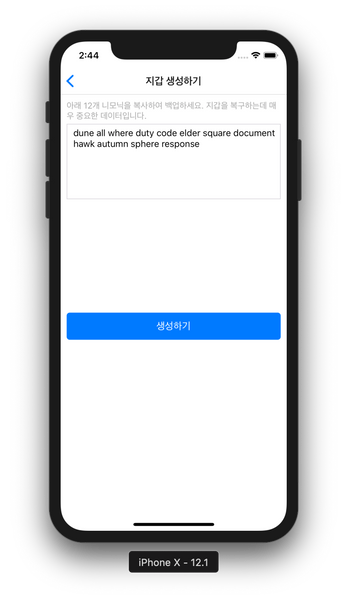
이제 앱을 실행하여 확인해봅니다.
![]()
지갑 복구에 필요한 니모닉이 생성되었습니다.
* * *
이더리움 지갑 개발에 필요한 라이브러리를 찾느라 시간이 많이 소요되었습니다. 그래서 진도를 많이 못 나갔네요. ㅎ
여기까지 읽어주셔서 감사합니다.